Choose the parameters that move
Create beat mappings for available parameters and choose their target layers. Combine musical movement with the layer and effect controls in your visual mix.
 PixelMapBuddy
Standard · Pro
Give your visuals a musical pulse. Beat Map connects parameters to tempo-driven movement so your mix can change with the beat.
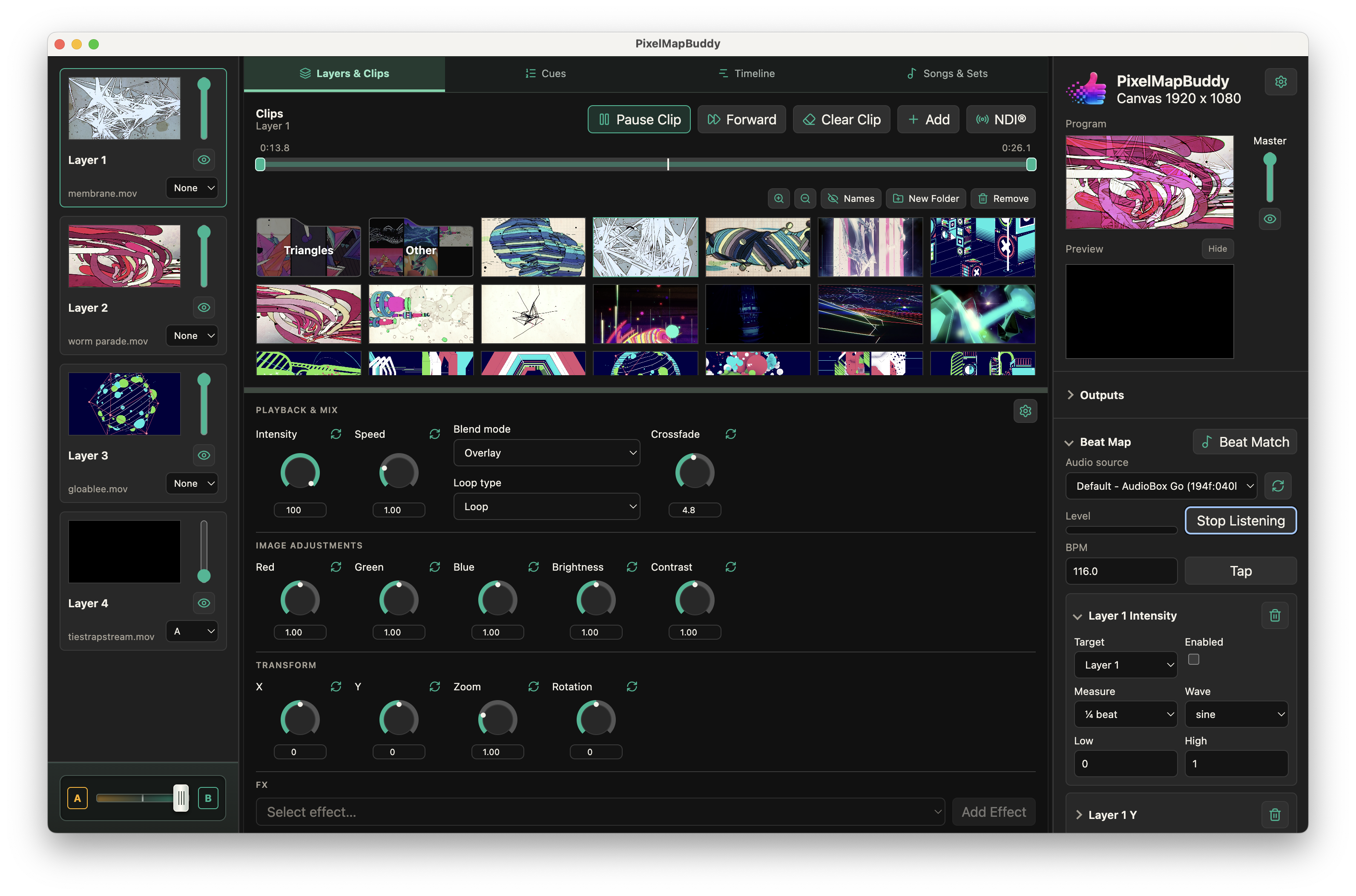
Create beat mappings for available parameters and choose their target layers. Combine musical movement with the layer and effect controls in your visual mix.
Use tap tempo or listen to a selected audio input for BPM detection. Review the tempo and mapping result in the live preview before sending it to the stage.
Beat Map is included in Standard and Pro. Free keeps the controls visible but disables beat mappings; upgrade and activate your PB licence in Settings to use them.
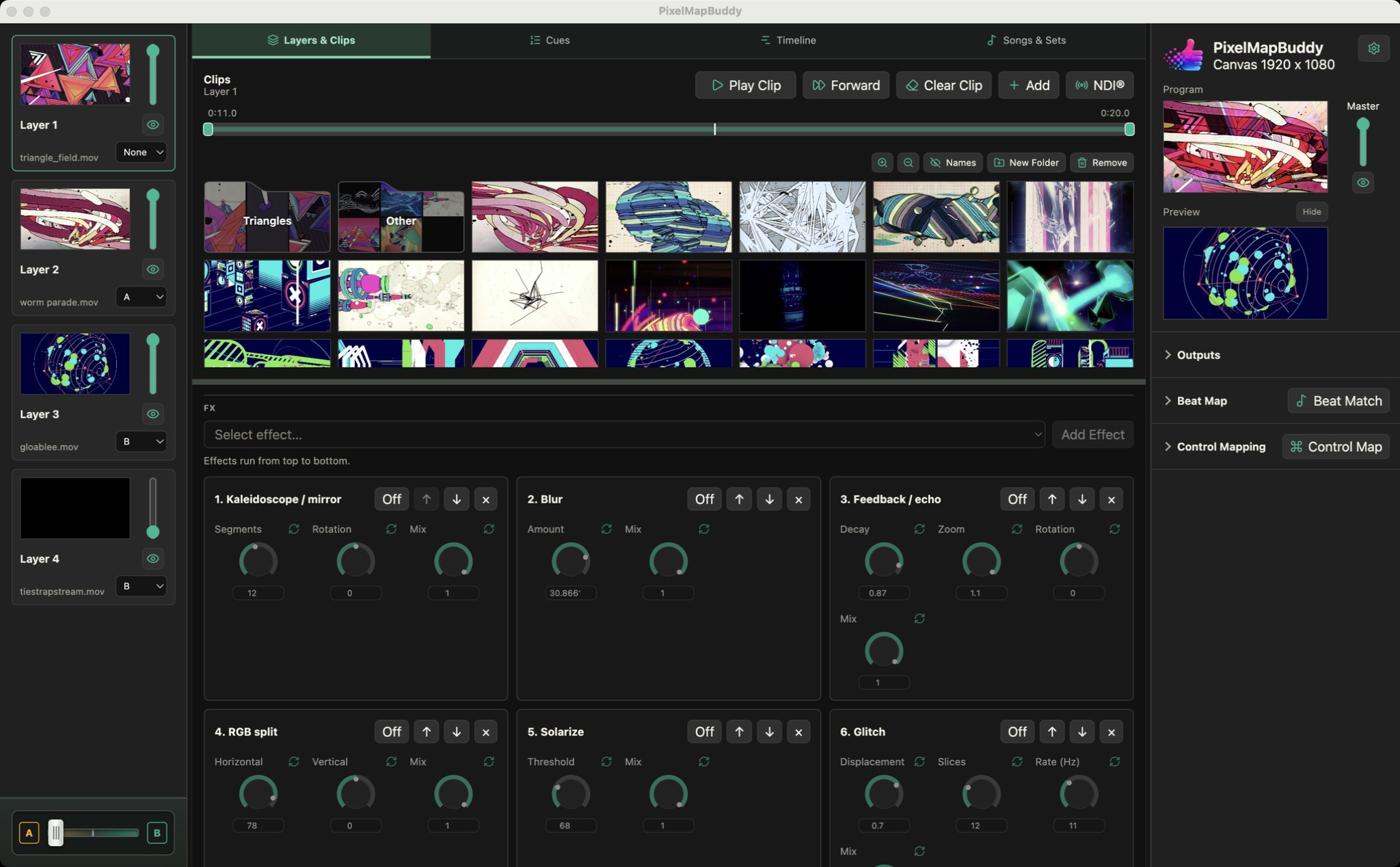
Shape the look of each layer with an FX chain you can reorder. Start with Blur and Strobe, then unlock the full rack in Standard or Pro.
Blur & Strobe in Free · All FX in Standard and Pro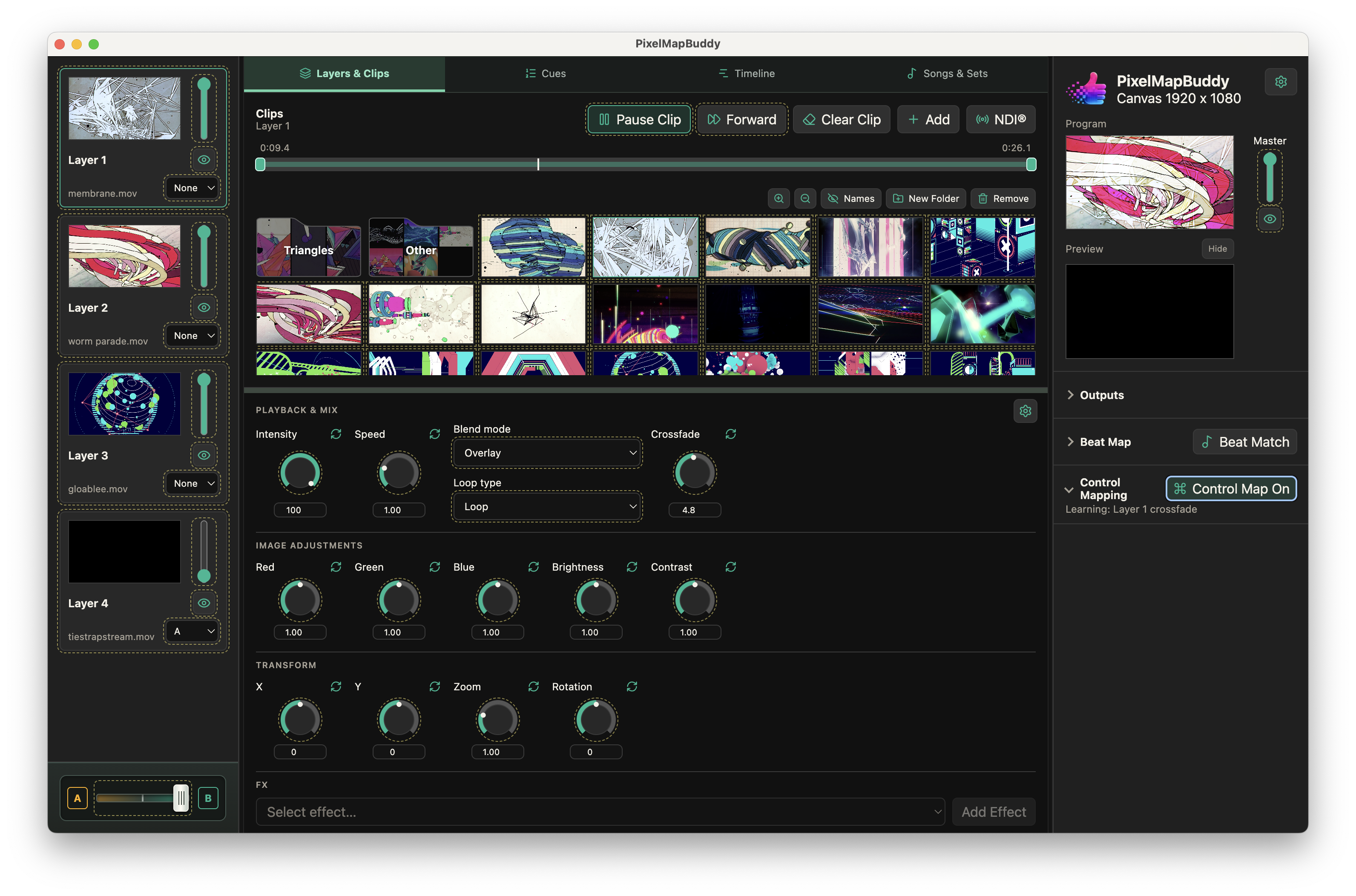
Put your visual controls on the hardware and software you already use. Map MIDI, OSC and DMX inputs to supported parameters in the workspace.
Free · Standard · Pro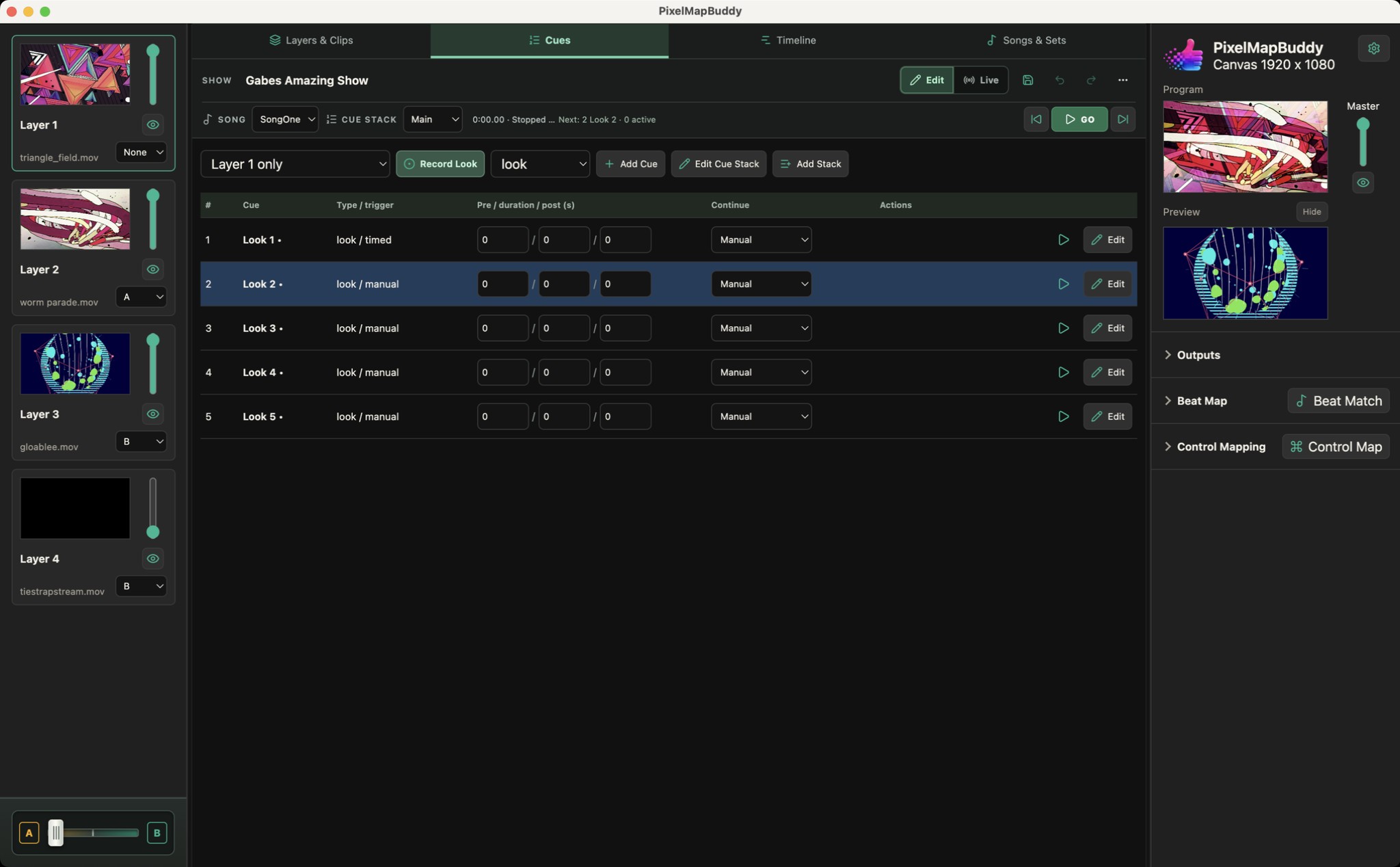
Turn your visual mix into a performance you can run again. Pro brings cue stacks, timelines and songs/sets into the same workspace as your layers.
Pro